Why Creators Use AI Tools to Remove Backgrounds
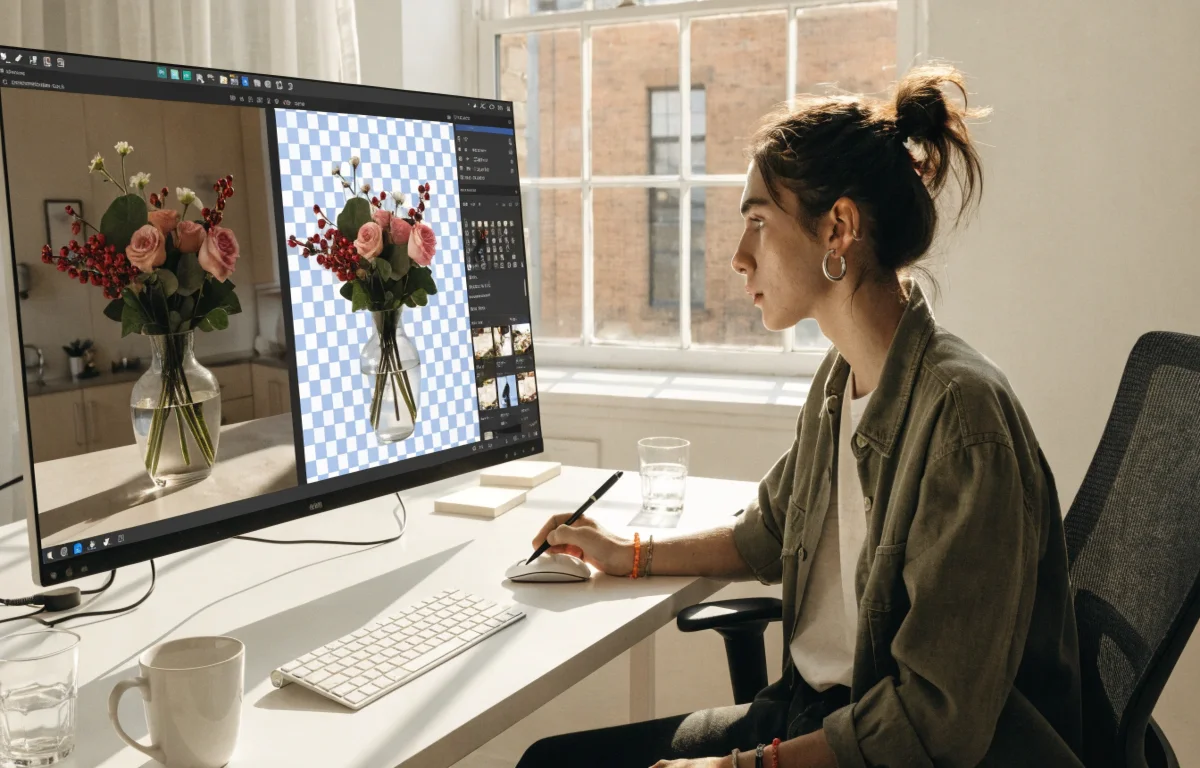
Creators face a lot of pressure to produce high-quality visuals quickly. Manual editing used to take hours of tedious work. You had to zoom in and click around every tiny edge of a person or an object. Now, smart tools allow you to remove background elements in just a few seconds. This shift saves a lot of time and lets people focus on the creative parts of their projects.
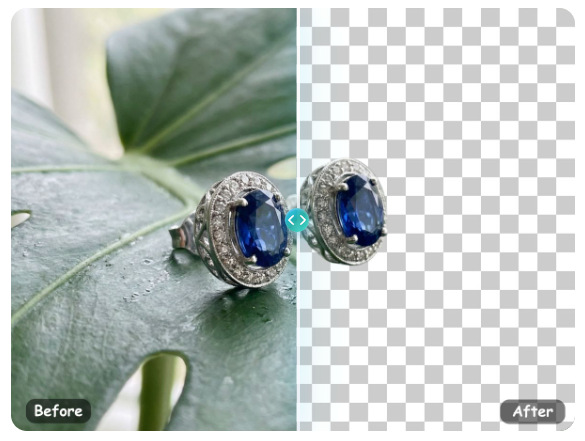
Most modern creators rely on an ai image editor free to handle the heavy lifting of photo manipulation. These platforms use artificial intelligence to understand what is important in a photo. Instead of fighting with complex software, you can get a clean cutout with one click. This technology has changed how people approach design, making professional results available to everyone.
Visual content is the most important part of any online presence. If your images look messy or cluttered, people will likely scroll past them. Using a tool to remove background distractions ensures that your subject stands out. This is especially useful for people who do not have access to a professional photo studio. You can take a photo anywhere and make it look like it was shot in a controlled environment.
Use Case 1: E-commerce Product Listings
Online sellers need their products to look sharp and professional to attract buyers. A busy background can distract customers from the item you want to sell. When you clear away the clutter, the product becomes the main focus of the image. This helps build trust with shoppers who want to see exactly what they are buying without any confusion.
Most online marketplaces have strict rules about product photos. Amazon and eBay often require a pure white background for the main image. If you take a photo on your kitchen table, it will not meet these standards. By using AI tools, you can swap that table for a clean white space in seconds. This makes your shop look organized and professional.
Benefits for E-commerce
Using these tools leads to more sales because the images look more reliable. A clean background makes your shop look like a big brand, even if you are working from home. It also makes it easier to place your product images into different marketing layouts. You can use the same product cutout for a website banner, an Instagram ad, or a printed flyer.
Consistency is another big benefit for sellers. If every photo in your shop has a different background, it looks messy. When you use AI to create a uniform look, your entire brand feels more cohesive. This consistency helps customers recognize your products more easily. It also saves you the cost of hiring a professional photographer for every new item you add to your inventory.
Use Case 2: Social Media Thumbnails and Graphics
YouTube creators and Instagram influencers need to stand out in a crowded feed. They often cut themselves out of a photo to place their image over a bright, high-contrast background. This technique makes thumbnails pop and encourages more clicks from viewers. If your thumbnail looks professional, people are more likely to believe your video content is high quality, too.
Social media moves very fast, and creators need to post every day. You cannot spend four hours editing a single thumbnail if you need to upload a video every afternoon. AI tools allow you to create these graphics in minutes. You can take a quick selfie, remove the background, and add some bold text to finish the design. This speed is vital for staying relevant on platforms where trends change every hour.
Benefits of Social Media
You can create a consistent brand look across all your posts. It allows you to place yourself in any setting without actually traveling to a specific location. This flexibility is great for keeping up with fast-moving social media trends. You can pretend to be at a beach, in a city, or in a futuristic world just by changing the background layer of your image.
High contrast visuals are known to improve click-through rates. When you remove a dull background and replace it with something vibrant, you grab the attention of the user. This is a simple way to grow your audience without spending money on ads. It also allows you to layer multiple images together to tell a story in a single frame.
Use Case 3: Professional Personal Branding
Freelancers and job seekers need professional headshots for LinkedIn or their personal websites. Sometimes the best photo of you has a messy office or a distracting park in the background. By swapping the background, you can turn a casual snapshot into a polished corporate portrait. This is a great way to improve your professional image without paying for an expensive photoshoot.
In the era of remote work, your online profile is your first impression. If your profile picture looks like it was taken in a dark room, it might not send the right message to recruiters. A clean, neutral background makes you look more approachable and professional. It shows that you care about the details of your personal brand.
Benefits of Personal Branding
It saves a lot of money on professional photography sessions. You can update your look instantly to match the tone of different platforms. A clean background ensures that your face is the first thing people notice. This is important for building a connection with potential clients or employers.
You can also use these tools to create consistent team photos for a company website. If every employee takes a photo at home, you can remove all the different backgrounds and replace them with a single company color. This makes the team look unified and professional. It is a simple solution for companies that have employees working in different parts of the world.
Practical Workflow for Creators
Using these tools is very simple and does not require any special training. Most creators follow a basic workflow to get the best results. First, you need to choose a photo with decent lighting. While AI is very smart, it works best when there is a clear difference between the subject and the background.
| Feature | Manual Editing | AI Tools |
| Speed | Very slow | Instant |
| Skill Level | High | Low |
| Cost | Expensive | Often free |
| Consistency | Hard to repeat | Always the same |
Once you have your photo, the process follows these steps:
1. Upload your original image to the AI platform.
2. Wait a few seconds for the tool to identify the subject.
3. Review the cutout to make sure the edges are clean.
4. Download the image as a transparent PNG file.
5. Open the cutout in an editor to add a new background or text.
This workflow is much faster than the old way of doing things. You do not need to learn how to use complex layers or selection tools. The AI does the hard work for you, so you can focus on the design. If the AI misses a small spot, most tools have a simple brush you can use to fix it manually.
Why Quality Matters
Even though these tools are fast, quality still matters. A bad cutout can make an image look cheap or fake. This usually happens around complex areas like hair or fuzzy clothing. High-quality AI tools are better at handling these tricky spots. They can distinguish between a strand of hair and the wall behind it.
When you use a high-quality tool, the result looks natural. This is important if you want people to believe the photo is real. If you are creating an ad, a clean edge makes the product look more expensive. If you are a creator, it makes your work look more polished. Always take a second to zoom in and check the edges before you publish your work.
Conclusion
AI tools have made it easier than ever for creators to produce professional visuals. By removing backgrounds, you can create clean product photos, eye-catching social media graphics, and polished professional headshots. This technology saves time and money while allowing for more creative freedom.
If you are a small business owner, a social media influencer, or someone looking for a new job, these tools are very helpful. You no longer need to be an expert in graphic design to create beautiful images. With just a few clicks, you can transform any photo into a high-quality piece of content. Start using these tools today to see how they can improve your creative projects.